
Know what needs to happen, who owns it, and where it stands.
MediaFlow is a connected operations platform for requests, workflows, planning, and team collaboration — built for media organizations and designed to support other operations teams.
Work gets lost across email, chat, and spreadsheets
Requests come in through different channels, status lives in someone's head or a spreadsheet, and every update means chasing another person for an answer. Nobody has one place to see what's actually happening.
One system for requests, workflows, and the team behind them
MediaFlow brings requests, structured workflows, planning, and team conversations together, so nothing falls through the cracks, and nobody has to go digging for context.
Everything the work needs, in one connected system
Three parts, working together instead of living in separate tools.
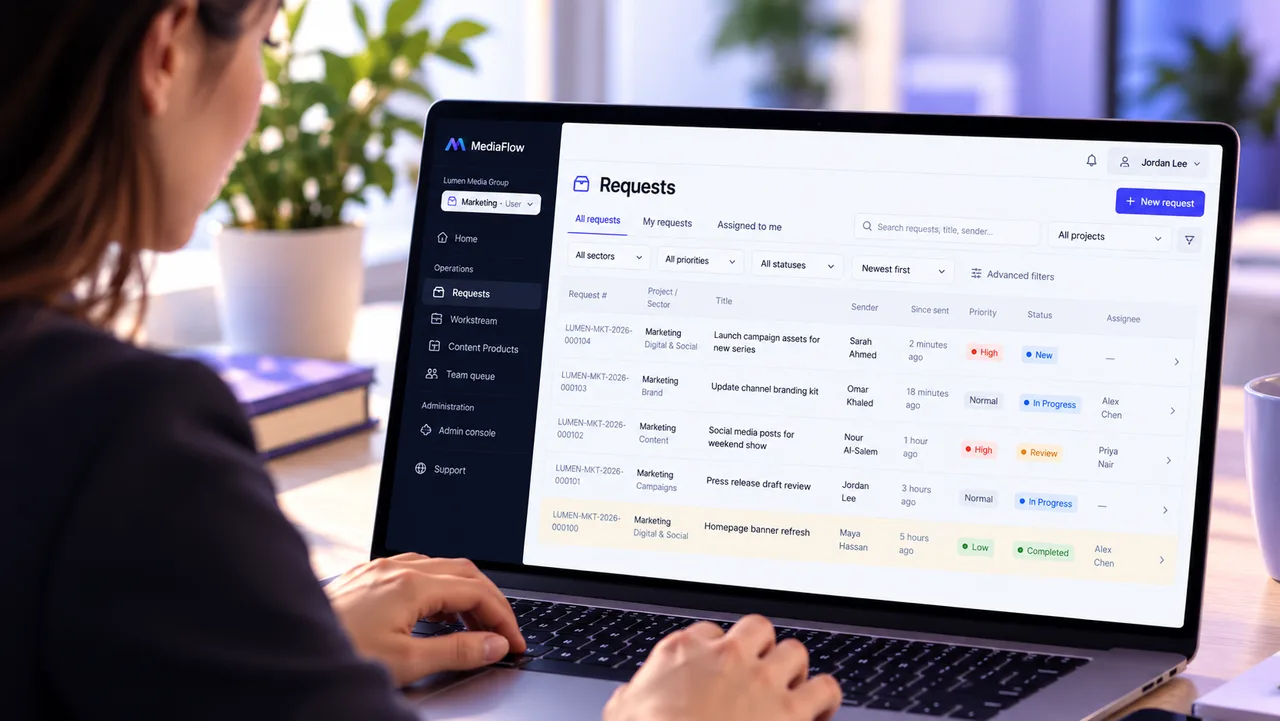
Requests, routed and tracked end to end
Every request moves through a clear workflow built around how your team actually works, from intake to approval to completion.
- Send a request to the right people, automatically
- Follow progress through every stage
- Approvals happen where they belong, not in someone's inbox
- Reuse the same workflow across every project that needs it
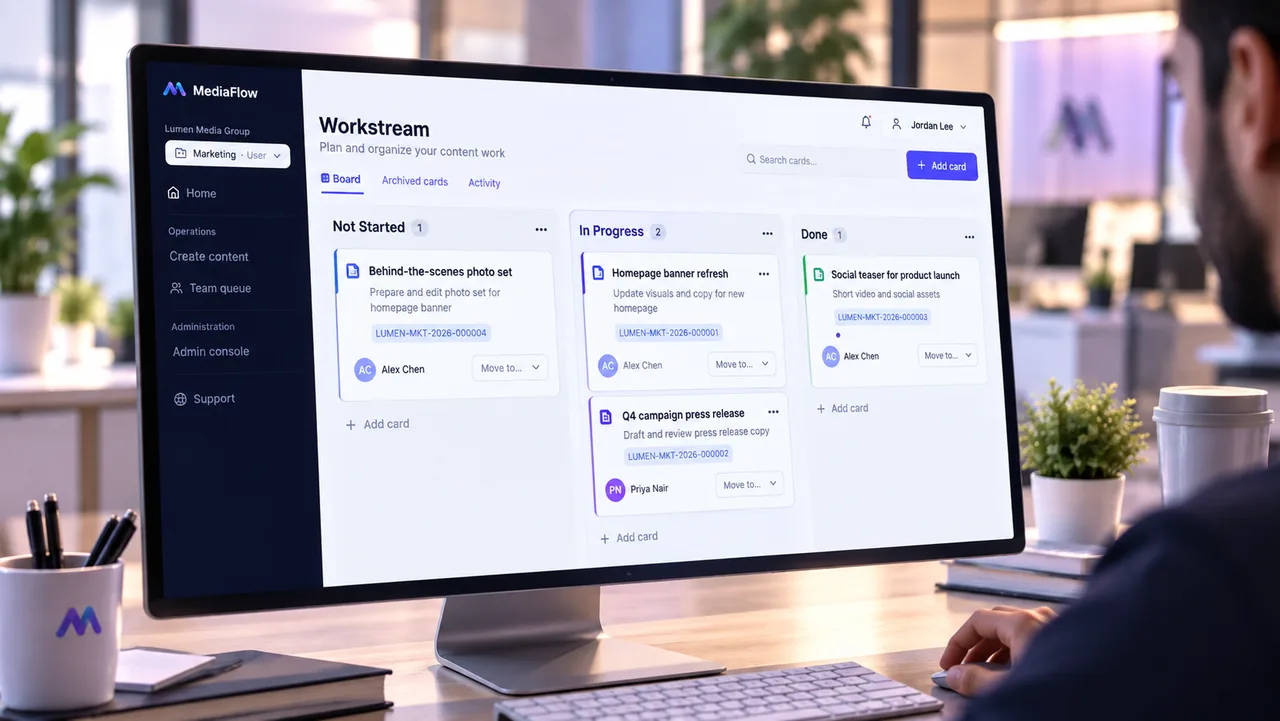
See the work laid out, not just logged
Visual boards give your team a shared view of what's in progress, what's next, and who owns it, connected directly to the requests behind the work.
- Visual boards for every project
- Move work through stages as it progresses
- Assign ownership so everyone knows who's responsible
- Link boards directly to the requests driving them

Keep the conversation next to the work
Project and team channels keep discussion connected to the work itself, so context never gets lost in a separate app.
- Dedicated channels for every project and team
- Reply and @mention the right person directly
- Stay on top of what's new with unread tracking and notifications
- Reference the work directly inside the conversation
How MediaFlow works
A clear workflow for every request, from creation to completion.
Create the request
Create a content request with every detail it needs, inside the right project.
Route to the right teams
Send the request to one recipient or several, each with their own context.
Track through the workflow
Follow the request's progress through its project's own defined workflow stages.
Approve and complete
Each stage is approved by the team responsible for it, until the request is complete.
Shaped around how your organization actually works
Every project can be configured to match its own content types, forms, and workflows, without custom development.
Content types your team defines
Set up the exact kinds of content or requests your organization handles, each with its own fields and structure.
Custom forms for every request
Build forms that capture exactly what each team needs to know, and reuse them across any project that needs them.
Workflow templates you control
Define a workflow once and reuse it across projects, then adjust it for a specific project without affecting the original.
Projects structured your way
Organize each project into the teams, sectors, or departments that reflect how your organization is actually set up.
Arabic and English, each done properly
Every team member works in Arabic or English, their own choice, with the interface laid out correctly for that language, right-to-left or left-to-right.
Roles scoped to each project
Give people the right level of access for each project they work on, independent of their role elsewhere.
Built on security and isolation from the ground up
Isolation between organizations isn't an add-on feature in MediaFlow — it's part of the system's core design.
Complete isolation between organizations
Every organization's data is separated from every other's — enforced at the data layer, not just by what the interface shows.
Access is explicit, never assumed
People only see the projects and work they've been given access to, with roles and permissions defined for each project.
Private, access-controlled file storage
Attachments are stored privately and delivered only after access is verified, with configurable retention policies and controlled cleanup.
Multi-factor authentication
Organizations can require multi-factor authentication for every member, adding a second verification step beyond the password.
Built for media operations — and beyond
MediaFlow was built for media organizations coordinating content across multiple teams and platforms, and works just as well for any operations team managing structured work end to end.
TV channels and networks
Organize the intake of material and reports and route them to the right teams through to broadcast.
Newsrooms
Route content requests to the right editorial teams and track every step through to approval.
Social media teams
Coordinate content publication across multiple social media platforms.
YouTube and digital content teams
Track digital content production and publication through clear workflow stages.
Frequently asked questions
What is MediaFlow?
MediaFlow is a connected operations platform for requests, workflows, planning, and team collaboration — used by media organizations and other operations teams to track work from intake to completion in one system.
Who is MediaFlow for?
MediaFlow is built primarily for media organizations — TV channels and networks, newsrooms, social media teams, and YouTube and digital content teams — and can also support other operations teams that need to manage requests, structured workflows, and planning in one place.
Does MediaFlow support Arabic and English?
Yes. The MediaFlow application supports both Arabic and English, with the interface laid out correctly for each — right-to-left for Arabic and left-to-right for English — so every team member can work in the language they're most comfortable in.
How does MediaFlow connect requests, workflows, planning, and team collaboration?
Each request moves through a defined workflow, appears on a visual planning board so its progress is easy to see, and connects to a team conversation — keeping the work itself and the discussion about it in the same place instead of scattered across email, chat, and spreadsheets.